How ExamMark grades your papers
From the moment your Subject Matter Expert verifies the marking guide to the moment you download the signed-off batch, with a full audit trail in between.
- 01
Marking guide setup by a Subject Matter Expert
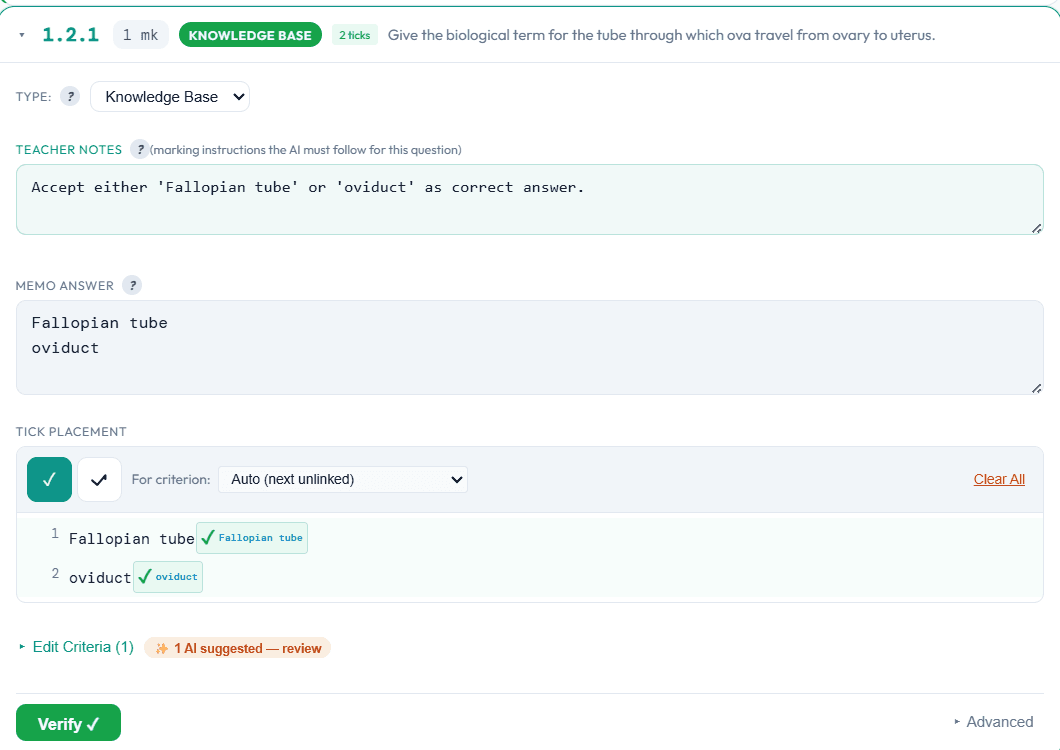
Your Subject Matter Expert verifies the marking guide once per exam. Criteria, mark codes, tick anchors, alternatives, and rubric levels are all editable. This SME-verified setup becomes the single source of truth. The AI defers to it.
Your call, not ours
Your marking guide is the authority
Your Subject Matter Expert sets what earns a mark, including the alternative wordings a human marker would accept. Nothing is marked until they have signed the guide off.
- 02
Dual OCR runs
Two independent OCR engines transcribe every script before any marking begins. Typed and handwritten papers are both supported. Where the two transcriptions disagree, the question is flagged for your Subject Matter Expert to read the original, rather than resolved by a guess.
What you do
Upload the batch. That is your part.
Drop in one PDF or a hundred. A single script is just a batch of one. Nothing can be marked against a guide nobody has checked, so the upload sits behind the verified setup.

- 03
AI grading
Every paper is independently graded by two AI examiners. Where they disagree above the threshold you set, a third AI arbitrator adjudicates the specific question. No question is marked by one model alone, which reduces single-model bias.
No single AI decides
Marked twice, then arbitrated
Two AI examiners mark every question independently. Where they disagree, a third adjudicates against your marking guide rather than splitting the difference. No mark on your papers is decided by one model on its own.
AI Grader 1
5/ 10AI Grader 2
8/ 10Arbitrator
8/ 10Resolution
- 04
Moderation by a Subject Matter Expert
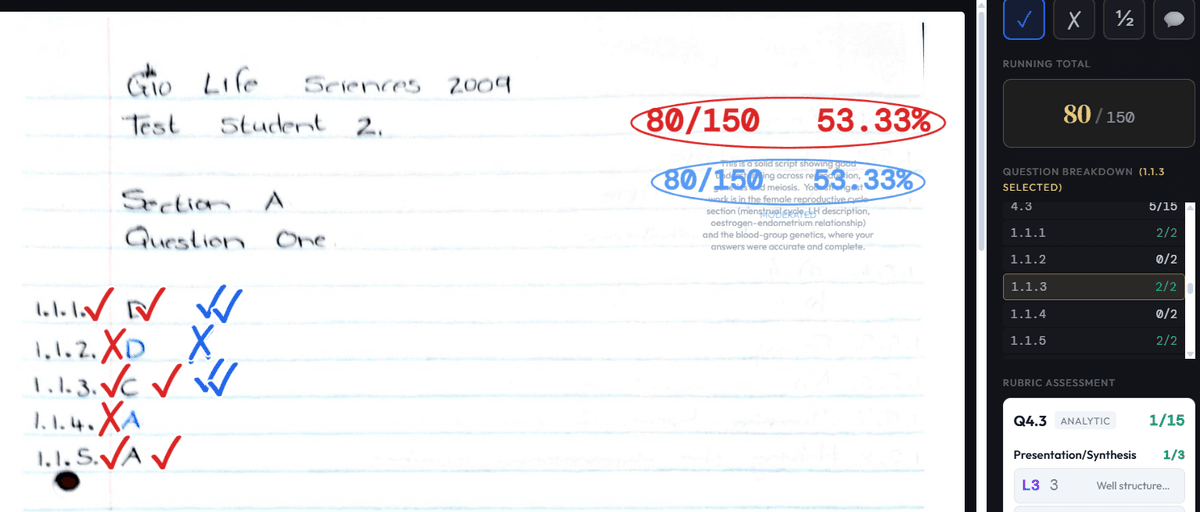
Papers land in a moderation dashboard sorted by confidence. Your SME reviews flagged questions, accepts or corrects marks, adds comments, and places ticks or Xs directly on the script. Every change is logged to the audit trail.
What comes back
Red is the AI, blue is your SME
Marks land on the script itself, not in a spreadsheet of totals. Your Subject Matter Expert marks in blue over the AI in red, so who awarded what is never in question, and the running total moves as they work.
Human in the loop
The AI suggests. The Subject Matter Expert decides. No mark is final until a Subject Matter Expert signs off in the moderation flow. Override any mark, any time, with no friction.
- 05
Analysis and handover
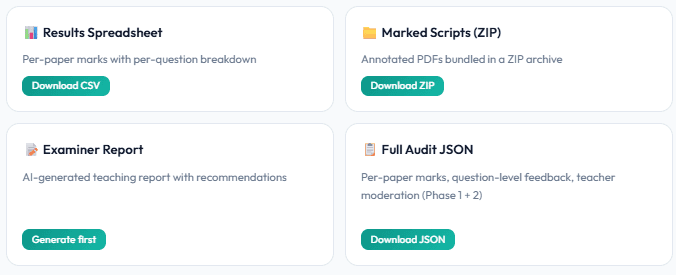
Download graded scripts, cover pages, examiner reports, per-question statistics, reliability metrics, and a full audit JSON, all in one ZIP. Student data is purged 72 hours after you download the handover bundle, unless your institution has set a longer window. You own everything that leaves the platform.
More than marks
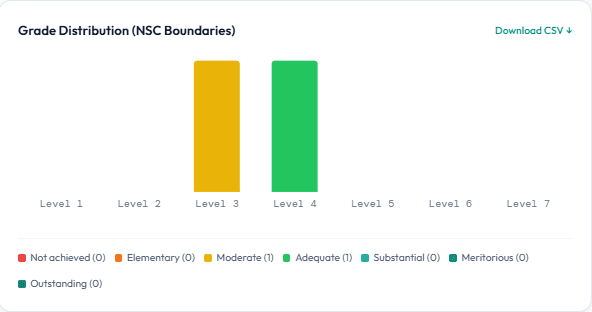
Where the cohort actually landed
Every batch comes back with the class plotted against NSC grade boundaries, so a set of marks becomes something a head of department can act on.
Yours to keep
You own everything that leaves
Marks with a per-question breakdown, the annotated scripts, an examiner report, and a full audit trail behind every mark. It is your institution's data and it leaves in formats you can open without us.